


How to create individual DP Project per selection from long live recording
You just did a location recording of long concert. You wish to create individual DP Project file per each song for mixing, which also contributes to ease of backup since keeping entire evening long sound files takes up space. Here is the step by step tutorial.
1: Create Markers per Songs
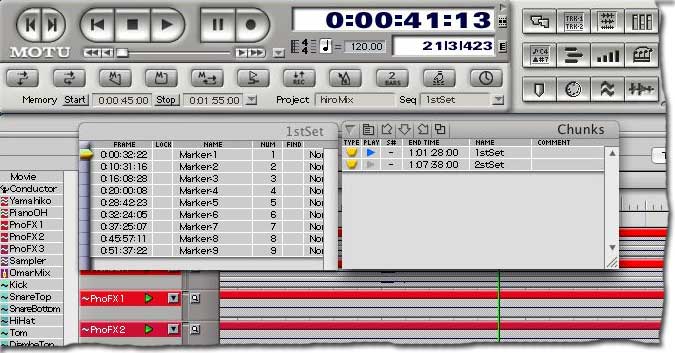
Create Marker (Ctrl+M at the Green Wiper position) at the beginning of each songs.
2: Create individual Sequence from selection made with Marker
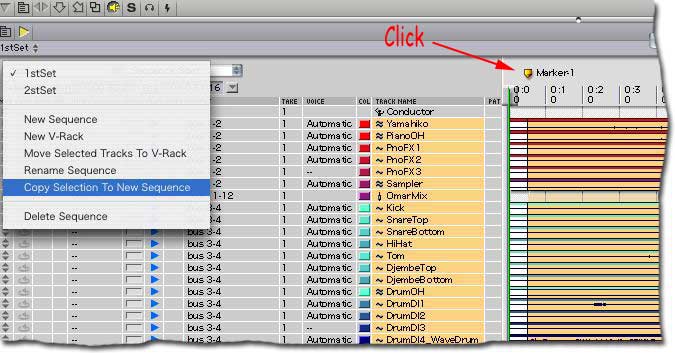
When you click on the Marker within Track Overview Window (Shift+T), the beginning of the Marker until next Marker is selected so you can "Copy Selection to New Sequence" from Track Overview Sequence popup menu.
3: Give meaningful name to new Sequence
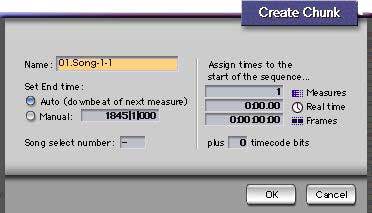
Prefix numeric ID to Sequence name will benefits sorting down the load.
4: Activate the newly created Sequence to verify
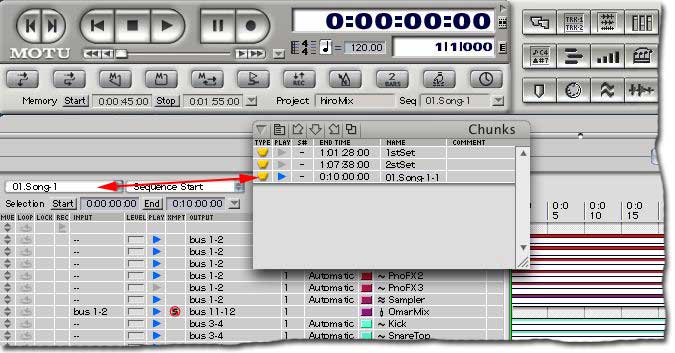
Activate the newly created Sequence from the Track Overview Sequence Selector (but not from Chunk Window to avoid confusion) and verify the sequence can be played without any problem.
When you finished creating all the Sequences from each Markers, "SAVE"!
This is your Master File!
5: Getting ready for separation - Select the first sequence to be separated
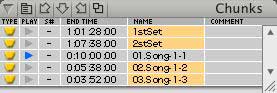
Now select all Sequences but the first song, which should be play-enabled as shown in the Chunk Window.
6: Delete all Sequences but the first one
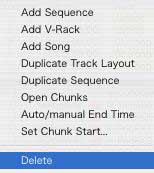
From Chunk Window Mini Menu, select Delete so all but the first Sequences will be deleted.
DO NOT SAVE!
7: Now you have only one Sequence, which is the first song ** DO NOT SAVE **
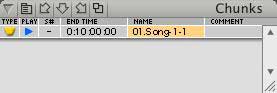
Next step is to make sound file smaller for housekeeping.
8: Select Unused Soundbites
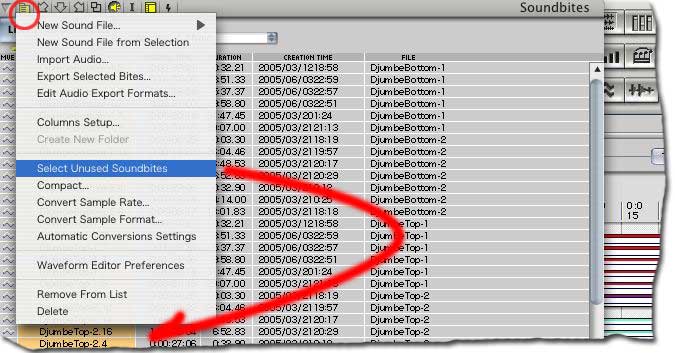
Open Soundbite Window (Shift+B) and do "Select Unused Soundbites so all the Soundbites except ones needed for the first Sequence are selected.
9: Remove Unused Soundbites from the list ~ BUT NOT DELETE!
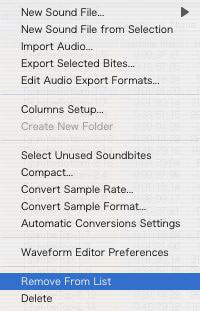
Remove Unused Soundbites from the list. DO NOT SELECT DELETE!
DO NOT SAVE!
10: Verify remained Soundbites are only for the first Sequence
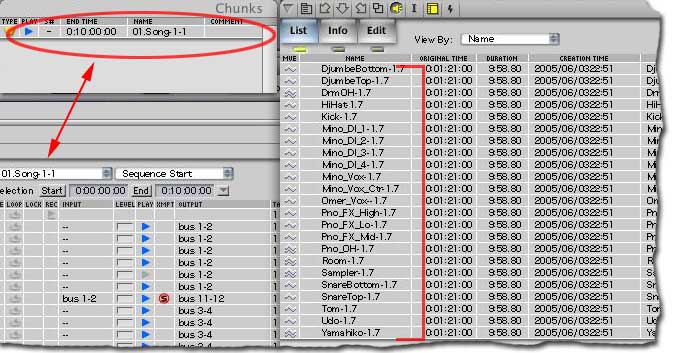
And of course make sure the Sequence still plays as expected.
DO NOT SAVE!
11: SaveAs to create an individual DP Project
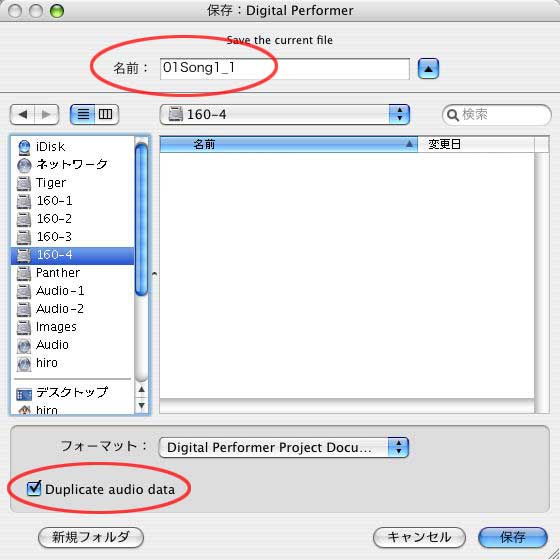
File menu > SaveAs: Give a meaningful numbering. Remember that OSX is Unix. Even Mac might allow illegal characters, it is a better practice to not to use period, and use UNDERSCORE for string separation.
Select Duplicate Audio Data option so the new DP Project file is self-contain, which can be backed up as a song without depending the original Project file/directory.